





Best AI Laptops UK 2026: Copilot+ PCs, Intel Core Ultra, Ryzen AI and Snapdragon Explained
A clear UK buying guide for choosing an AI-ready laptop for work, study, business, creative software and everyday productivity.
AI laptops are no longer just a marketing phrase. In 2026, many new Windows laptops include dedicated AI hardware designed to run selected tasks locally, improve video calls, support smarter search, assist creative tools and reduce the amount of work pushed to the main processor. The problem for buyers is that every brand uses slightly different language: AI PC, Copilot+ PC, Core Ultra, Ryzen AI, Snapdragon X, NPU and TOPS can all appear in the same search.
For UK buyers, the right choice depends on what the laptop is actually for. A student who needs battery life, Microsoft Office, browser research and light creative work does not need the same machine as a designer using Adobe apps, a business user handling Teams calls all day, or a creator who also needs NVIDIA RTX graphics for video editing and 3D workloads.
This guide explains the AI laptop market in plain English, then shows how to choose between Copilot+ PCs, Intel Core Ultra laptops, AMD Ryzen AI notebooks, Snapdragon X models and RTX-powered creator laptops. It is written for buyers who want a laptop that feels modern now and still makes sense for the next few years.
Quick Answer
For most UK buyers, the best AI laptop in 2026 should have at least 16GB RAM, a fast SSD, a modern processor with an NPU and good battery life. Choose a Copilot+ PC if you want the newest Windows AI features, an Intel Core Ultra or AMD Ryzen AI laptop for strong all-round Windows compatibility, and an RTX-equipped AI laptop if you work with video, 3D, design or GPU-heavy creative software.
What Is an AI Laptop?
An AI laptop is a modern notebook designed to handle selected AI tasks more efficiently through dedicated hardware and software support. The key term to understand is NPU.
Main Processor
The CPU handles everyday computing: Windows, browser tabs, spreadsheets, apps, multitasking and general responsiveness. A good AI laptop still needs a strong CPU.
AI Processor
The NPU is designed for local AI tasks. It can support background effects, captions, search, image tools and other features without relying only on the CPU or GPU.
Graphics Power
The GPU matters for gaming, 3D work, video editing and professional creative apps. Some AI workflows still benefit much more from NVIDIA RTX graphics than from an NPU alone.
What Makes a Laptop a Copilot+ PC?
A Copilot+ PC is a newer class of Windows 11 laptop built for on-device AI features. The headline requirement is a powerful NPU capable of at least 40 TOPS, alongside modern Windows 11 support and practical base specifications such as 16GB RAM and 256GB storage.
In normal buying language, this means a Copilot+ PC is not just any laptop with the word AI in the title. It needs suitable AI hardware and software support. Some AI-ready laptops are very good machines but may not qualify for every Copilot+ feature, so buyers should check the exact processor and Windows version.
- Look for a 40+ TOPS NPU for Copilot+ PC class features
- Choose 16GB RAM as the sensible modern minimum
- Prefer 512GB or 1TB SSD storage for long-term comfort
- Check battery life, webcam quality and port selection
- Confirm whether the laptop runs Windows 11 Home or Pro
Intel Core Ultra vs AMD Ryzen AI vs Snapdragon X
The processor family affects speed, battery life, software compatibility, graphics performance and which AI features are available locally.
| Platform | Best For | Strengths | Watch Before Buying |
|---|---|---|---|
| Intel Core Ultra | Business, general work, premium Windows laptops | Strong app compatibility, modern AI features, good choice across Lenovo, HP, Dell and ASUS models | Not every Core Ultra laptop has the same NPU level or graphics performance |
| AMD Ryzen AI | Performance laptops, value-focused AI notebooks, creator-friendly machines | Strong multi-core performance, capable integrated graphics, good AI-laptop options across price levels | Check the exact Ryzen AI generation and whether it qualifies for Copilot+ features |
| Snapdragon X | Battery life, travel, quiet productivity and Copilot+ style laptops | Excellent efficiency, long battery life potential and strong NPU capability | Some specialist Windows apps, drivers or older software may need compatibility checking |
| NVIDIA RTX Laptop | Video editing, 3D, gaming, AI creative tools and workstation-style use | Dedicated GPU power for demanding creative software and gaming workloads | Usually heavier, more expensive and less battery efficient than thin productivity laptops |
Which Type of AI Laptop Should You Buy?
Copilot+ PC
Best for people who want the newest Windows AI features, excellent mobility and a laptop that feels modern for everyday work.
- Strong NPU requirement
- Good for calls, notes, captions and search
- Usually efficient and portable
- Best with 16GB RAM or more
Core Ultra / Ryzen AI
Best for buyers who want a familiar Windows laptop with AI hardware, strong app support and a wide choice of brands and budgets.
- Excellent for business laptops
- Good choice for students and hybrid workers
- Available across Lenovo, HP, Dell and ASUS
- Check the exact NPU and graphics level
RTX AI Laptop
Best for video editors, designers, gamers, engineers and creators who need serious graphics performance as well as AI features.
- Best for Adobe, 3D and video workflows
- Suitable for gaming and content creation
- Look for 32GB RAM on serious creator models
- Usually needs a bigger budget
Best AI Laptop Choice for Business and Students
For office work, university, accounting, Teams meetings, research, writing, email and browser-heavy workloads, the best AI laptop is usually a balanced 14-inch or 16-inch Windows notebook with strong battery life, 16GB RAM and a reliable keyboard. Lenovo ThinkPad, HP EliteBook, HP ProBook, Dell Pro and Dell Premium models are all relevant categories for this type of buyer.
The NPU matters because it can support AI-assisted features without placing every task on the main processor. However, the everyday basics still matter more than the badge: screen quality, webcam, weight, keyboard comfort, port selection, warranty and whether the laptop has Windows 11 Pro for business environments.
- Choose 14 inches for travel and 16 inches for comfort
- Pick 16GB RAM as the sensible minimum for 2026
- Choose 512GB SSD minimum, with 1TB preferred for longevity
- Windows 11 Pro is useful for many business users
- Prioritise keyboard, webcam and battery life over flashy specs
When Should You Choose an RTX AI Laptop?
If your work includes video editing, animation, 3D modelling, CAD, game development, rendering, AI image tools or modern gaming, a laptop with dedicated NVIDIA RTX graphics may be the better choice than a thin Copilot+ productivity model. The NPU helps with selected AI tasks, but the GPU still matters for heavy visual workloads.
Creator laptops such as ASUS ProArt-style systems, mobile workstation laptops, HP ZBook models and Lenovo ThinkPad P Series machines are designed for buyers who need more than general office speed. They usually cost more, but they offer stronger graphics, larger memory options and displays better suited to creative projects.
- Choose RTX graphics for serious video, 3D and gaming
- Look for 32GB RAM or more for heavy creative work
- Prefer 1TB SSD minimum for large project files
- Check display colour quality for design and editing
- Expect more weight and shorter battery life than thin laptops
Match the AI Laptop to the Workload
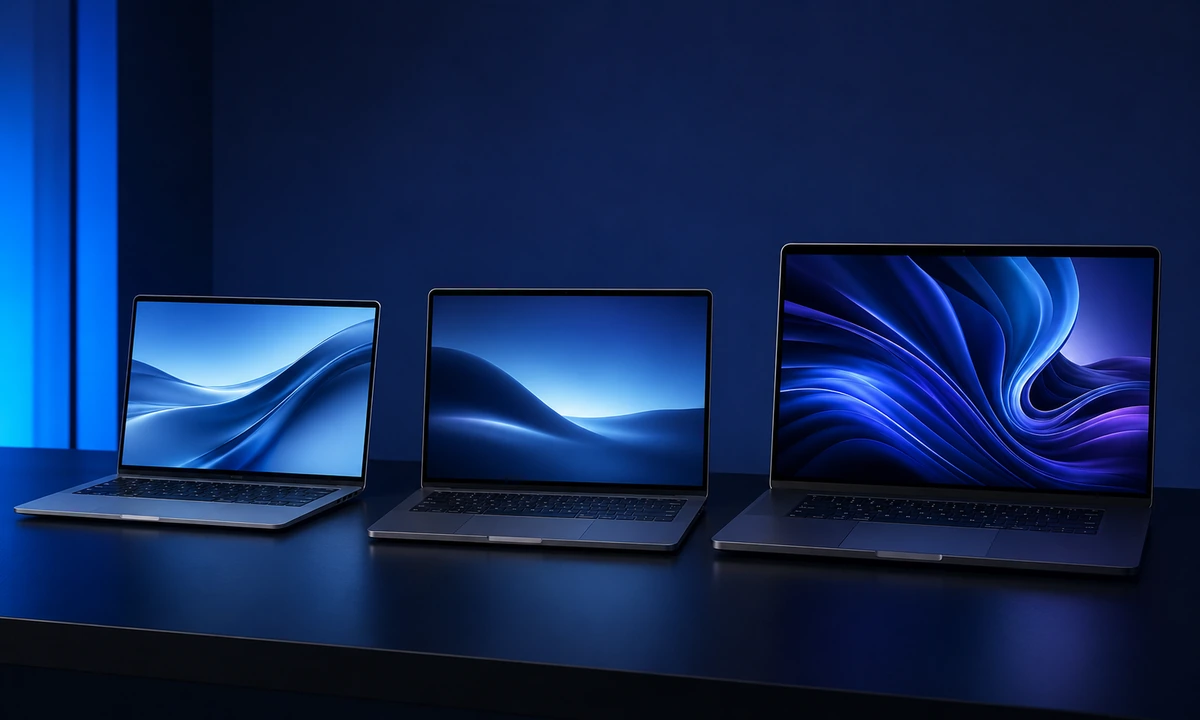
A premium AI laptop should be chosen by workload, not just by the newest processor name. The most useful machine is the one that fits the software, battery life and display needs of the person using it.
Everyday AI Laptop
Best for browsing, Office, video calls, study, admin, writing and light creative work.
Business AI Laptop
Best for professionals who need security, Windows 11 Pro, docking, reliability and strong keyboard comfort.
Creator AI Laptop
Best for video, design, 3D, engineering, content creation and GPU-accelerated professional software.
AI Laptop Buying Checklist for UK Buyers
Do Not Buy an AI Laptop for the Badge Alone
The AI label is useful only when the rest of the laptop is right. These are the common mistakes that lead buyers to spend money in the wrong place.
Ignoring Everyday Quality
Keyboard feel, webcam quality, battery life, weight and screen comfort are still the things most people notice every single day.
- Check keyboard and trackpad quality
- Look for a good webcam for meetings
- Avoid poor screens on long work days
Confusing NPU and GPU
An NPU helps with selected AI tasks, but it does not replace a dedicated GPU for gaming, 3D, video editing or heavy creative acceleration.
- NPU for efficient AI features
- GPU for graphics-heavy software
- CPU for general system speed
Buying Too Little Memory
An expensive AI laptop with only 8GB RAM can become the wrong long-term purchase. For 2026, 16GB should be the practical baseline for most buyers.
- 16GB for most work and study buyers
- 32GB for creators and power users
- 64GB for specialist workstation workloads
Recommended AI Laptop Specs by Use Case
| Use Case | Processor Type | Memory and Storage | Best Buying Priority |
|---|---|---|---|
| Students and Everyday Users | Core Ultra 5/7, Ryzen AI 5/7 or Snapdragon X class | 16GB RAM, 512GB SSD | Best Value |
| Business and Hybrid Work | Core Ultra 7, Ryzen AI 7 or business-grade equivalent | 16GB to 32GB RAM, 512GB to 1TB SSD | Reliability |
| Creative Work | Ryzen AI 9, Core Ultra 7/9 or creator platform | 32GB RAM, 1TB SSD minimum | Display and GPU |
| Video, 3D and Gaming | High-performance CPU with NVIDIA RTX graphics | 32GB RAM, 1TB to 2TB SSD | RTX Power |
Why House of Computers Is a Useful Place to Compare AI Laptops
AI laptop buying is easier when you can compare brands, laptop categories, processor families, memory options and graphics levels in one place.
Compare AI-ready notebooks from major brands including Lenovo, HP, Dell and ASUS, with filters for processor, memory, storage and graphics.
Choose from business laptops, mobile workstation laptops, creator laptops and RTX models depending on the workload.
UK buyers can order online, compare current stock and use House of Computers’ London presence for practical support.
Compare AI-Ready Laptops for Work, Study and Creation
Browse AI-ready laptops across Lenovo, HP, Dell, ASUS, Intel Core Ultra, AMD Ryzen AI and NVIDIA RTX options, then choose the model that fits your software, battery needs and budget.
Browse AI-Ready LaptopsFrequently Asked Questions
What is the best AI laptop in the UK for 2026?
The best AI laptop depends on the workload. For most UK buyers, choose a modern Core Ultra, Ryzen AI or Snapdragon X class laptop with 16GB RAM, 512GB or 1TB SSD storage and good battery life. For creative or gaming workloads, choose a model with dedicated NVIDIA RTX graphics.
What does NPU mean in a laptop?
NPU stands for neural processing unit. It is dedicated AI hardware designed to run selected AI tasks efficiently, reducing pressure on the main processor and helping with features such as background effects, captions and local AI processing.
Is every AI laptop a Copilot+ PC?
No. A laptop can be AI-ready without qualifying for every Copilot+ PC feature. Buyers should check the exact processor, NPU capability, memory, storage and Windows version before assuming full Copilot+ support.
Should I choose Intel Core Ultra or AMD Ryzen AI?
Both can be excellent. Intel Core Ultra is widely available across business and premium Windows laptops, whilst AMD Ryzen AI can offer strong performance and good integrated graphics. Compare the full laptop, not only the processor name.
Are Snapdragon X laptops good for UK buyers?
Snapdragon X laptops can be very good for battery life, quiet operation and portable productivity. They are worth considering, but buyers who depend on specialist Windows software, older drivers or niche accessories should check compatibility first.
Do I need an RTX graphics card in an AI laptop?
Not for general work, study and web use. You should choose RTX graphics if you need gaming performance, video editing, 3D work, CAD, advanced creative software or GPU-accelerated AI tools.
Is 16GB RAM enough for an AI laptop?
16GB RAM is the sensible minimum for most AI laptops in 2026. Choose 32GB if you edit video, run heavy creative software, keep many apps open, use virtual machines or want stronger long-term headroom.
Should students buy AI laptops?
Students can benefit from an AI laptop if it also has the right basics: good battery life, comfortable keyboard, strong webcam, reliable performance and enough RAM. The AI features are useful, but the everyday laptop experience matters more.
The best AI laptop in the UK is not chosen by the AI badge alone. A good purchase starts with the workload: study, business, travel, creative work, engineering, video editing or gaming. Once that is clear, the processor, memory, storage, screen and graphics choices become much easier.
For most people, a modern AI-ready laptop with 16GB RAM, a fast SSD, good battery life and a capable NPU is the right target. For power users and creators, move towards 32GB RAM, 1TB storage, a better display and dedicated NVIDIA RTX graphics where the software will actually use it.
House of Computers is well positioned for this topic because the AI-Ready Laptops category already connects the guide to real UK product choices across Lenovo, HP, Dell, ASUS, Intel Core Ultra, AMD Ryzen AI and NVIDIA RTX laptops.


