





NVIDIA GPUs for AI & Machine Learning: Which RTX GPU Should You Choose?
Understand CUDA cores, Tensor Cores, VRAM capacity and memory bandwidth, then compare the current NVIDIA RTX range to choose the right GPU for local AI, machine learning, generative AI and professional workflows.
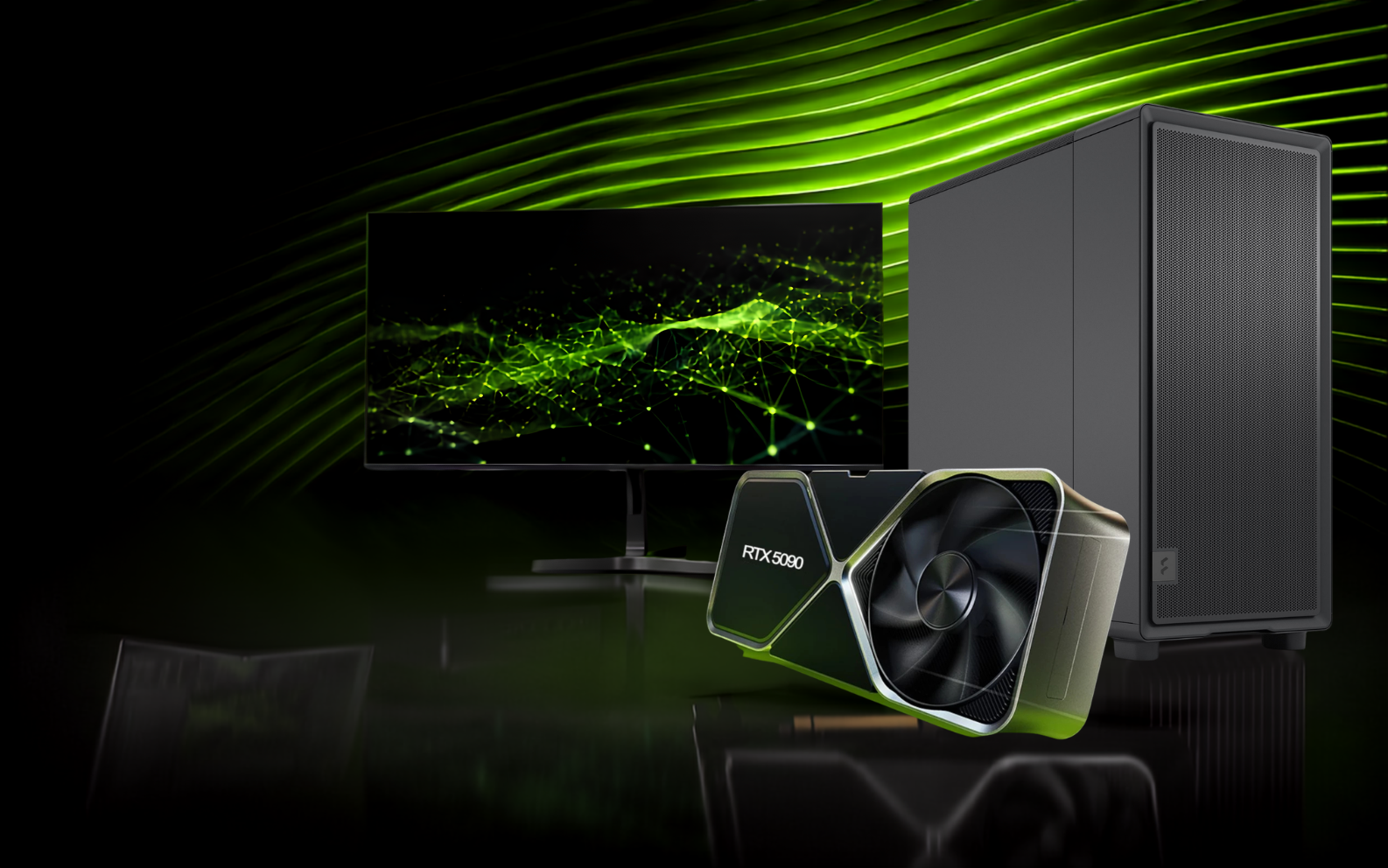
The graphics card is usually the most important component in a desktop built for artificial intelligence and machine learning. It determines which models can fit in GPU memory, how quickly tensor operations can be processed and how much headroom is available for larger datasets, longer context windows, image-generation pipelines and fine-tuning workloads.
However, choosing an NVIDIA GPU for AI is not simply a matter of buying the card with the highest gaming performance. AI buyers should compare VRAM capacity, memory bandwidth, Tensor Core capability, CUDA performance, software compatibility, power requirements and workload type. This guide explains those factors and shows how the current NVIDIA GeForce RTX 50 Series and professional RTX options fit different AI users.
Quick Answer
For AI work, prioritise VRAM first, then Tensor Core performance and memory bandwidth. An RTX 5070 or 5070 Ti can suit learning, development and lighter local models; an RTX 5080 offers more compute but still has 16GB VRAM; the RTX 5090 is the strongest GeForce choice for demanding local AI because it combines 32GB GDDR7 with very high memory bandwidth; and professional GPUs such as the RTX PRO 6000 Blackwell are designed for users who need substantially more memory, ECC support and workstation-class capacity.
Why Are NVIDIA GPUs So Popular for AI & Machine Learning?
NVIDIA combines high-performance GPU hardware with a mature acceleration ecosystem. CUDA enables developers and frameworks to use NVIDIA GPUs for general-purpose parallel computing, while Tensor Cores are designed to accelerate the matrix operations used heavily in modern deep learning and generative AI.
CUDA Ecosystem
CUDA gives software developers access to NVIDIA GPU compute and underpins a large ecosystem of accelerated AI libraries, tools and frameworks.
Tensor Cores
Tensor Cores accelerate lower-precision matrix operations that are central to AI training and inference, including modern FP and integer formats.
High-VRAM Options
NVIDIA offers GPUs across a wide memory range, from mainstream GeForce cards to professional RTX models with very large VRAM capacities.
CUDA Cores vs Tensor Cores: What Matters for AI?
CUDA cores are general-purpose parallel processing units used across graphics, compute and many GPU-accelerated workloads. Tensor Cores are specialised units built to accelerate the matrix-multiplication operations used extensively in neural networks. For AI buyers, both matter, but Tensor Core generation and supported numerical precision can have a major effect on machine-learning throughput.
- CUDA cores handle broad parallel compute workloads
- Tensor Cores accelerate AI-focused matrix operations
- RTX 50 Series GPUs use fifth-generation Tensor Cores
- Real performance depends on software, model precision and workload
VRAM Capacity vs Memory Bandwidth
VRAM capacity determines how much model data, cache, activations and other working memory can remain on the GPU. Memory bandwidth describes how quickly data can move to and from that GPU memory. A card may be extremely fast computationally but still be unsuitable for a model that exceeds its VRAM capacity.
- More VRAM allows larger models and heavier pipelines to fit locally
- Higher bandwidth can improve data movement during memory-intensive workloads
- Quantisation can reduce model memory requirements
- Longer context windows and larger batches increase memory pressure
NVIDIA GeForce RTX 50 Series for AI: Quick Comparison
NVIDIA’s current desktop GeForce RTX 50 Series uses the Blackwell architecture and fifth-generation Tensor Cores. The specifications below highlight the factors most relevant when comparing cards for local AI and machine-learning work.
| GPU | VRAM | CUDA Cores | Memory Bandwidth | AI Buying Position |
|---|---|---|---|---|
| GeForce RTX 5070 | 12GB GDDR7 | 6,144 | 672 GB/s | Learning, development and lighter local AI workloads |
| GeForce RTX 5070 Ti | 16GB GDDR7 | 8,960 | 896 GB/s | Strong mid-range option when 16GB VRAM is sufficient |
| GeForce RTX 5080 | 16GB GDDR7 | 10,752 | 960 GB/s | Higher compute performance for 16GB-class workloads |
| GeForce RTX 5090 | 32GB GDDR7 | 21,760 | 1,792 GB/s | Best GeForce option for demanding local AI and larger models |
| RTX PRO 6000 Blackwell | 96GB GDDR7 ECC | Professional RTX | Workstation-class | Large models, professional AI, data science and advanced workflows |
Which NVIDIA GeForce RTX GPU Should You Choose for AI?
The right card depends on the size of your models, the precision you use, whether you run inference or fine-tuning, and how much headroom you need for future projects.
Entry AIRTX 5070 — 12GB
A practical starting point for CUDA development, AI learning, smaller quantised language models, computer-vision experiments and lighter generative-AI workflows.
Explore AI-Ready PCs → 16GB Value
RTX 5070 Ti — 16GB
A useful step up for buyers who need 16GB of GPU memory for larger local models, image generation and more demanding development workloads.
Explore AI-Ready PCs → High Compute
RTX 5080 — 16GB
Delivers more CUDA and Tensor performance than the 5070 Ti while keeping the same 16GB memory capacity, making it attractive when compute speed matters more than additional VRAM.
Explore AI-Ready PCs → Best GeForce AIRTX 5090 — 32GB
The standout GeForce choice for serious local AI. Its 32GB GDDR7 capacity gives substantially more room for larger models, longer contexts and heavier generative-AI pipelines.
View Cortex RTX 5090 PCs → Professional AIRTX PRO 6000 — 96GB
Built for professional users who need very large GPU memory capacity, ECC memory and workstation-class performance for demanding AI, data-science and visual-compute workloads.
Explore Cortex Workstations → Scale UpMulti-GPU Systems
Appropriate when a framework can distribute models or workloads across multiple GPUs. Multi-GPU does not automatically create one simple shared pool of VRAM, so software support matters.
Explore AI Workstations →When Should You Choose NVIDIA RTX PRO Instead of GeForce?
GeForce RTX cards deliver excellent AI performance for developers, creators, researchers and many local-AI users. Professional RTX GPUs become more attractive when the workload requires substantially more VRAM, ECC memory, workstation-focused drivers, professional application support or a system designed for sustained specialist use.
- Choose GeForce when price-to-performance is the priority
- Choose RTX PRO when very large VRAM capacity is essential
- ECC memory can matter in professional and mission-critical workflows
- Consider workstation validation, cooling and power delivery for sustained loads
Match the NVIDIA GPU to Your AI Workload
Different AI applications stress the GPU in different ways. Use these workload categories as a starting point, then check the memory requirements of the exact models and software you plan to run.
How to Choose the Right NVIDIA GPU for AI
Work through these four checks before choosing your workstation graphics card.
Find the Right NVIDIA GPU for Your AI Workstation
Explore Cortex AI desktops and workstations configured for local AI, machine learning, generative AI, development and professional GPU-accelerated workloads.
Explore Cortex AI WorkstationsFrequently Asked Questions
Which NVIDIA GPU is best for AI and machine learning?
The best GPU depends on your model size and workload. RTX 5070-class cards can handle learning and lighter AI tasks, 16GB cards such as the RTX 5070 Ti and RTX 5080 offer more flexibility, the RTX 5090 is the strongest current GeForce option for demanding local AI with 32GB VRAM, and RTX PRO GPUs are designed for workloads that require much larger memory capacity.
Is the RTX 5080 or RTX 5090 better for AI?
The RTX 5090 is considerably more flexible for AI because it has 32GB of GDDR7 memory compared with 16GB on the RTX 5080, as well as substantially more CUDA cores and higher memory bandwidth. The RTX 5080 can still be very fast when the workload fits inside 16GB.
Do CUDA cores or Tensor Cores matter more for AI?
Both contribute to GPU performance, but Tensor Cores are specifically designed to accelerate the matrix operations used heavily in deep learning. Real application speed depends on the framework, model, precision, kernels and whether the workload can take advantage of Tensor Core acceleration.
Is 16GB VRAM enough for machine learning?
It can be enough for many development, computer-vision, diffusion and quantised local-model workloads, but it is not a universal target. Large language models, long context windows, high-resolution pipelines, large batches and fine-tuning can require significantly more memory.
Why does memory bandwidth matter for AI?
AI workloads frequently move large volumes of weights, activations and intermediate data through GPU memory. Higher bandwidth can reduce memory-transfer bottlenecks, although the effect varies by model and workload.
Should I buy GeForce RTX or RTX PRO for AI?
GeForce RTX usually provides excellent price-to-performance for local AI, development and research. RTX PRO is more appropriate when you need very large VRAM capacity, ECC memory, workstation-focused features or a professional system designed around specialist workloads.
The best NVIDIA GPU for AI is the one that gives your models enough memory first and enough compute performance second. For lighter local development, RTX 5070-class hardware can be a sensible starting point. The RTX 5070 Ti and RTX 5080 provide 16GB of VRAM with increasing compute performance, while the RTX 5090 stands out for serious local AI because its 32GB of GDDR7 offers much more room for demanding models and pipelines.
For professional users who regularly exceed GeForce memory limits, the RTX PRO 6000 Blackwell’s 96GB of GDDR7 ECC moves into a different workstation class. Before buying, compare VRAM, Tensor capability, CUDA performance, bandwidth, power and your exact software requirements rather than selecting a GPU from gaming benchmarks alone.


