





NVIDIA RTX 50 Series Graphics Cards UK: Performance, Compatibility and Comparison
Compare the standalone RTX 5050, RTX 5060, RTX 5060 Ti, RTX 5070 and RTX 5090 graphics cards featured at House of Computers, with practical guidance for gaming, creative work, power supplies and case fit.
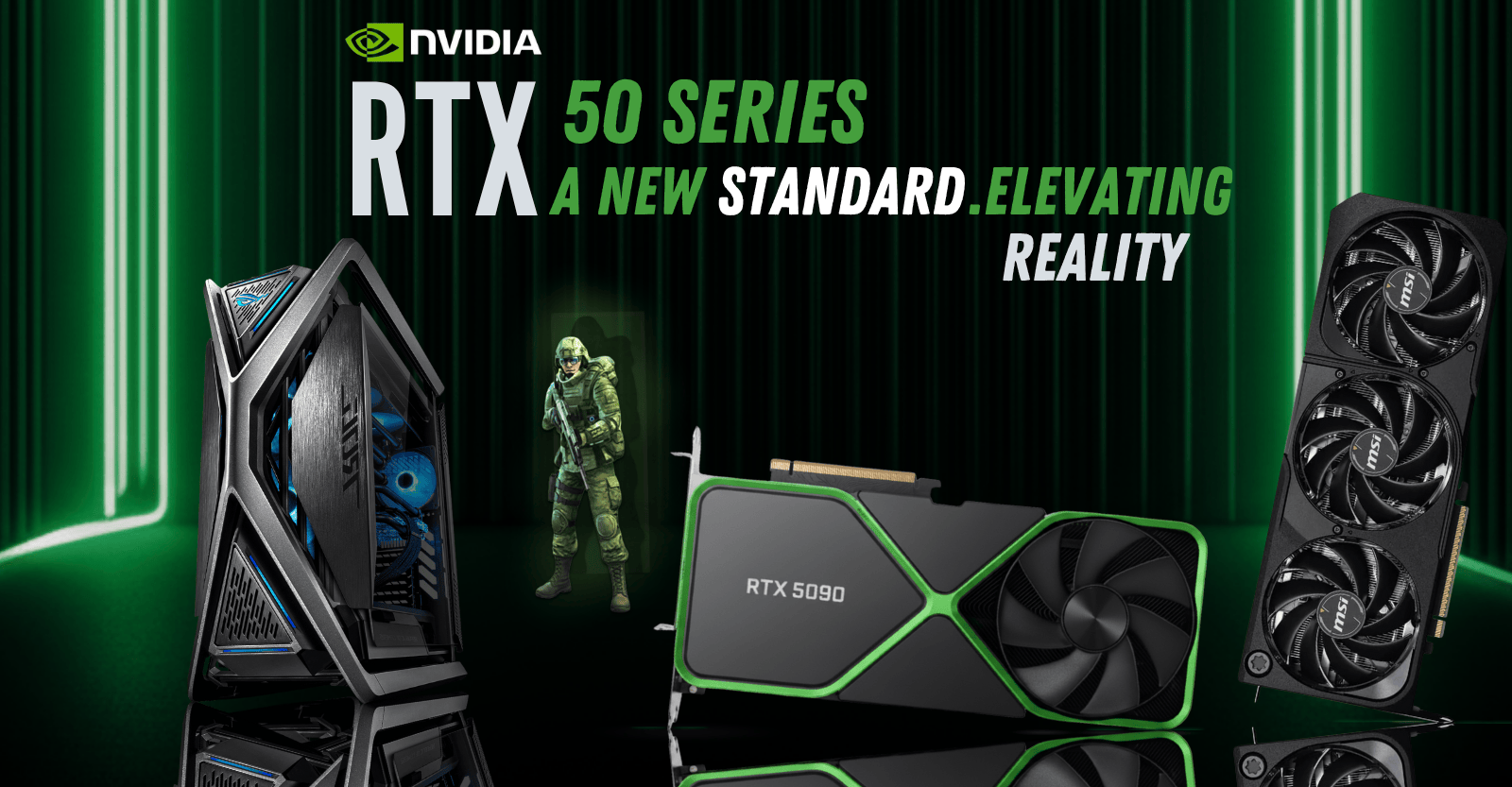
Choosing an RTX 50 Series graphics card is not simply a matter of buying the highest model number. The right GPU must match the monitor resolution, the games or applications you use, the physical space inside the case and the quality of the power supply already installed in the PC.
The standalone range featured by House of Computers currently stretches from the accessible RTX 5050 to the flagship RTX 5090. Between those points, the RTX 5060, RTX 5060 Ti and RTX 5070 cover very different 1080p, 1440p, creative and high-refresh workloads. The RTX 5060 Ti also introduces an important 8GB-versus-16GB decision.
This guide covers graphics cards only. Complete RTX gaming PCs are intentionally excluded, so every comparison, compatibility check and product link stays focused on upgrading or building a desktop with a standalone GPU.
Which RTX 50 Series GPU Fits Your PC?
Start with the display resolution and workload, then choose the GPU family that gives enough performance without forcing unnecessary upgrades elsewhere in the system.
1080p Value
RTX 5050 and RTX 5060 suit mainstream Full HD gaming, esports and sensible upgrades where power use, case size and total system cost matter.
1440p Sweet Spot
RTX 5060 Ti and RTX 5070 are the more natural choices for demanding QHD gaming, higher refresh rates and stronger ray-tracing headroom.
Flagship Performance
RTX 5090 is intended for premium 4K systems, heavy rendering, advanced AI work and creators who can use its 32GB GDDR7 memory.
RTX 5050 vs RTX 5060 vs RTX 5060 Ti vs RTX 5070 vs RTX 5090
These are family-level figures. The exact cooler, clock speed, length, slot thickness and manufacturer power recommendation can change between ASUS, MSI and Gigabyte models.
| GPU | CUDA Cores | Memory | Bus | Graphics Power | PSU Starting Point | Best Match |
|---|---|---|---|---|---|---|
| RTX 5050 | 2,560 | 8GB GDDR6 | 128-bit | 130W | 550W | 1080p Value |
| RTX 5060 | 3,840 | 8GB GDDR7 | 128-bit | 145W | 550W | 1080p Balance |
| RTX 5060 Ti | 4,608 | 8GB / 16GB GDDR7 | 128-bit | 180W | 600W | Strong 1440p |
| RTX 5070 | 6,144 | 12GB GDDR7 | 192-bit | 250W | 650W reference* | High-Refresh QHD |
| RTX 5090 | 21,760 | 32GB GDDR7 | 512-bit | 575W | 1,000W | Flagship 4K / AI |
*The ASUS Prime RTX 5070 OC card featured below lists a 750W recommendation, so follow the exact partner-card product page rather than relying only on NVIDIA reference guidance. PSU suitability also depends on the CPU, overclocking, drives, fans and the unit’s quality.
Which RTX 50 Series GPU Fits Your Priority?
RTX 5050 or RTX 5060
Best when the aim is smooth 1080p gaming without rebuilding the whole PC around a very large graphics card.
- Lower power demand
- More compact card options
- Strong fit for esports
- 8GB memory capacity
RTX 5060 Ti or RTX 5070
Best for buyers who want a stronger 1440p experience, better ray-tracing headroom and a more capable long-term gaming build.
- High-refresh 1080p and QHD
- 8GB, 12GB or 16GB choices
- Stronger creator acceleration
- More PSU and case planning
RTX 5090 32GB
Best only when premium 4K gaming, professional rendering, complex AI workloads or 32GB VRAM will be used properly.
- 32GB GDDR7 memory
- Large triple-fan designs
- 1,000W PSU guidance
- GPU support strongly advised
RTX 50 Series GPUs Featured on the House of Computers Website
The following sections cover the nine standalone cards visible on the RTX 50 Series page. Prices are deliberately omitted because promotions and stock can change.
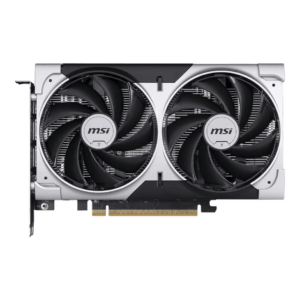
GeForce RTX 5050: Efficient 1080p Upgrade
The MSI Ventus 2X RTX 5050 is the easiest card in this guide to accommodate. Its compact dual-fan cooler and 550W minimum system power guidance make it useful for mainstream 1080p gaming, esports and older systems that need a modern Blackwell-generation upgrade without flagship-level power demands.
- Useful match for 1080p monitors
- Compact 197mm card length
- Standard single 8-pin power connection
- Best paired with a balanced mainstream CPU
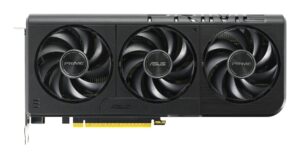
GeForce RTX 5060: Stronger Everyday Gaming
The ASUS Prime RTX 5060 moves beyond entry-level performance while retaining a manageable 550W PSU recommendation. Its triple-fan, 2.5-slot design is longer than the RTX 5050, so case clearance should be measured before purchase, particularly in compact micro-ATX systems.
- High-quality 1080p gaming target
- Entry-level 1440p with sensible settings
- GDDR7 memory and Blackwell features
- Triple-fan cooling in a 2.5-slot profile
The best graphics card is not automatically the fastest card. A properly balanced RTX 5060 or RTX 5060 Ti system can give a better overall result than installing a flagship GPU beside an underpowered CPU, weak PSU, restricted case airflow or unsuitable monitor.
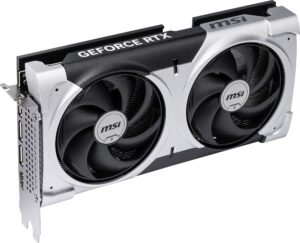
GeForce RTX 5060 Ti 8GB: Stronger 1080p and 1440p
The 8GB RTX 5060 Ti is a sensible performance step above the RTX 5060 when the priority is higher refresh rates, stronger 1440p capability and better ray-tracing headroom. House of Computers currently represents compact dual-fan designs and a longer triple-fan Gaming Trio option.
GeForce RTX 5060 Ti 16GB: Better for Heavy Assets
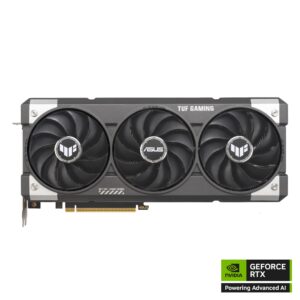
The ASUS TUF RTX 5060 Ti 16GB keeps the same GPU family but doubles the memory capacity. It is the more suitable RTX 5060 Ti choice for high-resolution texture packs, memory-heavy creative projects, selected local AI tasks and buyers who prefer extra VRAM headroom over the lowest purchase price.
- Twice the VRAM of the 8GB version
- Large 302mm, 3.1-slot cooler
- Better suited to memory-intensive applications
- Check side-panel and cable clearance carefully
GeForce RTX 5070 12GB: QHD Performance Step-Up
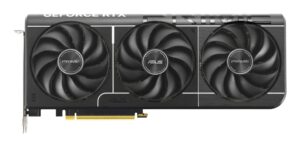
The ASUS Prime RTX 5070 OC offers a wider 192-bit memory interface and more GPU resources than the RTX 5060 family. It is the strongest non-flagship standalone option currently shown on the page for high-refresh 1440p gaming, ray tracing and selected 4K play with optimised settings or supported DLSS features.
- Natural fit for demanding 1440p gaming
- 12GB GDDR7 memory capacity
- 304mm, 2.5-slot triple-fan design
- ASUS lists a 750W PSU recommendation

GeForce RTX 5090 32GB: Maximum-End Desktop GPU
The RTX 5090 belongs in a purpose-built premium system. Both listed partner cards are physically large, draw substantial power and benefit from spacious airflow, a modern high-quality PSU and a support bracket. The 32GB memory capacity makes this tier especially relevant to advanced 3D rendering, large creative workloads and demanding local AI use.
Will an RTX 50 Series Graphics Card Work in Your PC?
A PCIe slot alone does not guarantee a successful upgrade. Measure the case and verify the complete power path before choosing a partner card.
Motherboard Slot
Install the GPU in the primary full-length PCIe x16 slot. PCIe generations are generally backward compatible, although an older platform may reduce bandwidth in some situations.
PSU and Connector
Check wattage, quality, available 8-pin or 16-pin connection and the PSU maker’s cable instructions. Never assume every modular cable is interchangeable.
Case Clearance
Compare card length, height and slot thickness against the case specification, front radiator, drive cages, side panel and the bend space needed by the power cable.
CPU and Airflow
A weak processor can limit high-refresh gaming, while restricted airflow can raise temperatures and noise. Match the GPU to the complete build rather than one specification.
Case Size, Power Connector and PSU Guidance
| Listed Graphics Card | Length / Size | Cooling Profile | Power Connector | PSU Guidance |
|---|---|---|---|---|
| MSI RTX 5050 Ventus 2X | 197 × 41 × 120mm | Dual fan, compact | 1 × 8-pin | 550W minimum |
| ASUS Prime RTX 5060 O8G | 268.3mm length | Triple fan, 2.5-slot | 1 × 8-pin | 550W recommended |
| MSI RTX 5060 Ti Ventus 2X | 227 × 41 × 127mm | Dual fan | 1 × 16-pin | 600W minimum |
| ASUS Dual RTX 5060 Ti O8G | 227 × 123 × 49mm | Dual fan, 2.5-slot | 1 × 16-pin | 600W recommended |
| MSI RTX 5060 Ti Gaming Trio | 300 × 44 × 125mm | Triple fan, 2-slot listed | 1 × 16-pin | 600W minimum |
| ASUS TUF RTX 5060 Ti 16GB | 302 × 62 × 133.5mm | Triple fan, 3.1-slot | 1 × 16-pin | 550W listed; assess full build |
| ASUS Prime RTX 5070 OC | 304 × 126 × 50mm | Triple fan, 2.5-slot | 1 × 16-pin | 750W recommended |
| Gigabyte RTX 5090 Windforce OC | 342 × 150 × 65mm | Large triple fan | 1 × 16-pin | 1,000W recommended |
| ASUS TUF RTX 5090 OC | 348 × 146 × 72mm | Triple fan, 3.6-slot | 1 × 16-pin | 1,000W recommended |
Leave extra space beyond the published card dimensions for front fans or radiators and for a safe power-cable route. The 16-pin plug must be inserted fully and should not be sharply bent immediately beside the connector.
Gaming, Streaming, Creative and AI Performance Guidance
These are practical buying targets rather than guaranteed frame-rate claims. Performance varies with the game, processor, graphics preset, driver, ray tracing and whether supported DLSS features are enabled.
1080p Esports and Mainstream Gaming
RTX 5050 is the entry point; RTX 5060 gives more headroom for higher quality settings and faster monitors. RTX 5060 Ti suits buyers chasing higher refresh rates or more demanding games.
1440p AAA Gaming
RTX 5060 Ti is the value-focused QHD choice, while RTX 5070 is the stronger option for demanding presets, ray tracing and high-refresh 1440p displays.
4K and Full Ray Tracing
RTX 5070 can approach selected 4K workloads with optimised settings and supported upscaling. RTX 5090 is the no-compromise tier for premium 4K and maximum ray-tracing ambition.
Creation, Rendering and Local AI
VRAM becomes increasingly important. RTX 5060 Ti 16GB offers useful memory headroom; RTX 5070 adds more compute capability; RTX 5090 combines extreme performance with 32GB GDDR7.
What the RTX 50 Series Adds Beyond Basic Frame Rate
DLSS 4.5 Platform
Supported games can use NVIDIA’s AI-assisted rendering features to improve image quality, responsiveness or frame delivery. Availability and benefit vary by title and selected mode.
Fourth-Generation RT Cores
RTX 50 Series GPUs are designed for modern ray-traced lighting and full ray-tracing workloads, but higher settings still demand more GPU resources and VRAM.
NVIDIA Studio and Encoding
Creators can use Studio drivers and GPU acceleration in compatible editing, streaming, 3D and AI applications. Choose memory capacity according to project size.
Should You Buy the RTX 5060 Ti 8GB or 16GB?
The two versions share the same basic GPU tier, so the decision is mainly about memory headroom, workload and price rather than a simple model-number upgrade.
RTX 5060 Ti 8GB
Choose 8GB when the build is mainly for 1080p or sensible 1440p gaming and the lower price leaves room for a better CPU, monitor, SSD or power supply.
- Better value for lighter workloads
- Three partner-card choices on the page
- Compact 227mm models available
- Reduce texture settings if VRAM becomes limiting
RTX 5060 Ti 16GB
Choose 16GB for high-resolution textures, modded games, bigger creative assets, selected AI workloads or greater memory headroom across a longer ownership period.
- Double the memory capacity
- Better for VRAM-heavy projects
- Large 3.1-slot ASUS TUF design
- Not automatically twice the gaming speed
Six Checks That Prevent an Expensive GPU Mistake
Confirm Case Length
Measure from the rear expansion slots to the nearest radiator, front fan or drive cage.
Confirm Slot Thickness
Make sure the card will not cover a required expansion card or collide with the case floor.
Check the PSU Model
Wattage alone is not enough; verify quality, age, connectors and ATX/PCIe cable support.
Match the Monitor
A 1080p 60Hz display may not justify a flagship card, while high-refresh QHD needs more GPU power.
Balance the CPU
High frame-rate gaming needs a processor capable of feeding the GPU consistently.
Plan Support and Airflow
Large RTX 5090 cards should use the supplied support hardware and a well-ventilated chassis.
Why Compare RTX 50 Series GPUs at House of Computers?
Multiple Partner Brands
Compare ASUS, MSI and Gigabyte cooling designs, dimensions and memory options from one RTX 50 Series range page.
Entry to Flagship Choice
The standalone selection covers accessible RTX 5050 upgrades through to 32GB RTX 5090 partner cards.
Current Product Details
Open each model page to check the live price, stock, delivery information, warranty and full technical specification.
Find the Right RTX 50 Series Graphics Card for Your Build
Compare the current standalone GPU options, then confirm case clearance, power supply support and the exact partner-card specification before ordering.
RTX 50 Series GPU Questions Answered
Which RTX 50 Series GPU is best for 1080p gaming?
RTX 5050 is the lower-cost entry point, while RTX 5060 gives stronger mainstream headroom. RTX 5060 Ti is the better choice for high-refresh 1080p, heavier ray tracing or buyers who also plan to move to 1440p.
Which RTX 50 Series GPU is best for 1440p?
RTX 5060 Ti is the value-focused 1440p option. RTX 5070 is more suitable for demanding presets, ray tracing and high-refresh QHD displays because it offers more GPU resources, 12GB GDDR7 and a wider memory interface.
Is an RTX 5060 Ti 16GB better than the 8GB version?
It is better when the workload exceeds 8GB of VRAM, such as heavy textures, modded games, large creative assets or selected AI tasks. It does not automatically deliver double the frame rate in normal gaming.
Can an RTX 50 Series card work in an older PCIe motherboard?
PCIe is generally backward compatible, so many cards can work in an older full-length x16 slot. Check BIOS support, physical clearance, PSU compatibility and whether the older platform may restrict performance.
Do I need a new power supply for an RTX 50 Series GPU?
Possibly. Compare the exact partner card’s PSU guidance and connector with your current unit. Also consider PSU age, quality, CPU power draw, overclocking and whether the correct native cable is available.
Is the RTX 5090 suitable for every gaming PC?
No. It requires a large budget, spacious case, strong airflow, a modern high-quality PSU and a CPU capable of supporting the intended workload. It makes most sense for premium 4K, rendering, creation and advanced AI use.
What should I measure before buying a graphics card?
Measure maximum GPU length, available slot thickness, height to the side panel and space for the power cable. Check front fans, radiators and drive cages because they can reduce the case maker’s advertised clearance.
Does DLSS work in every game?
No. DLSS features depend on game support and the selected mode. Treat them as valuable tools in compatible titles rather than a replacement for choosing the correct native GPU performance tier.
Specification guidance is based on NVIDIA family data and the individual ASUS, MSI and Gigabyte product information represented by House of Computers. Partner-card details can change; verify the live product page before publication or purchase.


