





Single GPU vs Multi-GPU for AI: When Is a Second Graphics Card Worth It?
Understand when one powerful GPU is the smarter choice, when multiple GPUs can accelerate AI workloads, and what VRAM, software scaling, PCIe lanes, power and cooling mean before you invest in a multi-GPU workstation.
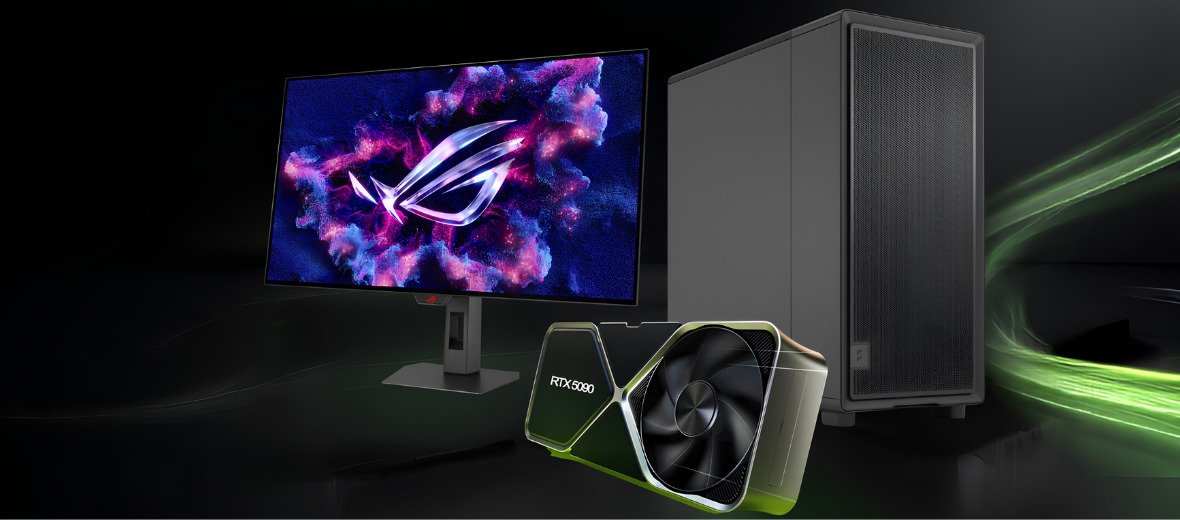
Adding a second graphics card sounds like an obvious way to build a faster AI workstation. Two GPUs provide more total compute resources and more physical GPU memory, so it is easy to assume that every machine-learning, generative AI or local large-language-model workload will become twice as fast. In practice, multi-GPU performance is much more dependent on software support, workload design and the way data is distributed between devices.
For many users, a single high-VRAM GPU is simpler, more efficient and better value than two lower-capacity cards. Multi-GPU systems become valuable when a model must be sharded across devices, a training workload can use data parallelism, several independent jobs need to run at the same time, or professional software is specifically designed to scale across multiple GPUs. This guide explains where the real advantages are and where extra hardware can add cost without delivering the performance you expected.
Quick Answer
Start with one powerful GPU with enough VRAM for your normal workload. Move to multiple GPUs only when your model, framework or production workflow can distribute work across devices. Two GPUs do not automatically behave like one larger GPU: each card keeps its own local VRAM, and software must explicitly shard the model, replicate it or split batches between devices. For local AI, one 32GB-class GPU can therefore be more practical than two smaller cards if the workload does not scale well.
Why a Single Powerful GPU Is the Best Starting Point for Most AI Users
A single-GPU workstation is easier to configure, easier to cool and easier for software to use efficiently. There is no need to divide a model between devices or transfer intermediate results across GPU links, which keeps the workflow simple and reduces the number of variables that can affect performance.
Simpler Software Setup
Most AI applications work naturally on one CUDA device, reducing configuration work and avoiding multi-device communication overhead.
Prioritise VRAM
If the complete model and working set fit on one GPU, keeping them local can be faster and more predictable than splitting the workload.
Lower Platform Cost
One GPU reduces motherboard, power-supply, chassis and cooling requirements, leaving more budget for RAM, storage or a higher-capacity card.
 Scale Beyond One Device
What Does a Multi-GPU Workstation Actually Give You?
A multi-GPU system gives the software access to more than one independent accelerator. The application can use those GPUs in different ways: it can place different parts of one large model on separate devices, replicate the model across GPUs and split training batches, run a pipeline across multiple stages, or assign entirely separate jobs to each GPU.
- More total compute resources for workloads that parallelise well
- More aggregate physical VRAM when models can be sharded
- Higher throughput when several independent AI jobs run simultaneously
- Potentially shorter training times with correctly configured distributed training
 The Important VRAM Rule
Does VRAM Combine When You Install Two GPUs?
Not automatically. Each GPU has its own local memory. If you install two 32GB graphics cards, the system physically contains 64GB of GPU memory, but a normal application does not simply see one seamless 64GB pool. To use memory across both cards, the framework must distribute the model or workload between them.
- Each GPU retains its own local VRAM
- Model sharding can place different layers on different GPUs
- Data-parallel training often keeps a model copy on every GPU
- Communication between GPUs introduces additional overhead
Which AI Workloads Benefit Most from Multiple GPUs?
The value of a second GPU changes dramatically depending on whether you are running inference, training a model, generating images, processing video or serving multiple users. The best multi-GPU strategy is therefore workload-specific rather than universal.
 Serving
Multi-User Inference
Businesses can assign different models, workers or inference requests to separate GPUs, improving total throughput even when one individual request does not become twice as fast.
Development
Learning & Experimentation
Developers, students and researchers often get better value from one stronger high-VRAM card until they have a clear workload that requires multi-device scaling.
 Production
Professional Production
Multi-GPU makes the most sense when utilisation can remain high: repeated training runs, batch processing, several concurrent users or models too large for one accelerator.
Single GPU vs Multi-GPU: Practical AI Workstation Comparison
The table below focuses on the buying differences that matter most when choosing an AI workstation rather than comparing gaming performance.
| Factor | Single GPU | Multi-GPU | What It Means for Buyers |
|---|---|---|---|
| Setup Complexity | Low | Higher | Multi-GPU requires software and workload support |
| VRAM | One local pool | Separate pool per GPU | Memory only becomes aggregate when the workload is sharded |
| Inference | Excellent when the model fits | Useful for oversized models or concurrency | Do not expect automatic 2× speed from two cards |
| Training | Good for smaller jobs | Can scale well with distributed training | Communication and synchronisation reduce perfect scaling |
| Power & Cooling | More manageable | Much more demanding | Chassis airflow and PSU sizing become critical |
| Motherboard | Standard high-end platform can work | Slot spacing and PCIe lane layout matter | Check electrical lane configuration, not just physical slots |
| Cost Efficiency | Usually better for general local AI | Better only when utilisation is high | Second GPU should solve a measured bottleneck |
What Hardware Do You Need for a Multi-GPU AI Workstation?
A second graphics card changes much more than GPU cost. The motherboard, CPU platform, power supply, chassis, cooling and system memory all need to be selected around sustained multi-GPU compute.
Check PCIe Slot Spacing
Modern high-end GPUs can occupy several expansion slots. Make sure both cards physically fit with enough breathing room for cooling.
Check PCIe Lane Allocation
Two full-length slots do not guarantee equal bandwidth. Review the motherboard and CPU platform to see how lanes are divided when both slots are populated.
Size the PSU for Sustained Load
Multi-GPU AI can keep both cards under heavy compute for long periods. Account for GPU board power, CPU demand, transient headroom and connector requirements.
Prioritise Airflow & Thermals
Poor spacing can cause one GPU to recycle hot air from the other. Large cases, strong intake and exhaust airflow and carefully selected card designs are important.
Install Enough System RAM
Large datasets, preprocessing, offloading and multi-process workloads can put heavy pressure on system memory. Do not build a powerful GPU platform around insufficient RAM.
Use Fast NVMe Storage
Multiple GPUs can process data quickly enough to expose slow storage as the next bottleneck. Fast local datasets and checkpoint storage help keep accelerators fed.
 Buying Decision
When Is a Second GPU Actually Worth the Money?
A second GPU is a strong investment when it removes a specific limitation that you already understand. If a model does not fit on one GPU, your training framework scales across devices, or you need more total throughput for several simultaneous jobs, multi-GPU can materially increase workstation capability. If your existing GPU is underused, adding another card will not fix the real bottleneck.
- Your model or pipeline exceeds the VRAM of one suitable GPU
- You regularly train models using distributed frameworks
- You run several inference or generation workers concurrently
- GPU utilisation is already consistently high
- The time saved is valuable enough to justify the platform cost
When Should You Upgrade Something Else Instead?
If the workload comfortably fits in GPU memory and does not scale across devices, the same budget may produce a better workstation by strengthening the rest of the platform.
More System Memory
Larger datasets, local databases, preprocessing pipelines and CPU offload can benefit from 64GB, 96GB, 128GB or more system RAM depending on workload.
Faster CPU Platform
Data loading, tokenisation, compilation and preprocessing can leave an expensive GPU waiting if the CPU side of the pipeline cannot keep up.
Faster or Larger NVMe Storage
High-speed storage can improve dataset access, model loading, checkpoints and scratch workflows while also increasing practical project capacity.
Single GPU vs Multi-GPU Buying Checklist
Use these questions before spending on a second graphics card or ordering a multi-GPU AI workstation.
Does Your Model Fit on One GPU?
If yes, a stronger single card may provide the simplest and most efficient configuration.
Does Your Software Support Multiple GPUs?
Confirm support for distributed training, tensor or model parallelism, pipeline parallelism or multiple independent workers.
Are You Buying for Capacity or Speed?
Sharding a model may allow it to run across several GPUs without giving the same scaling as a workload designed for parallel throughput.
Can the Platform Support Two GPUs Properly?
Check physical spacing, PCIe lanes, PSU capacity, connectors, case airflow and sustained thermal performance before ordering components.
Choose the Right Cortex AI Workstation
Build around the workload first. Compare high-VRAM single-GPU systems and expandable workstation platforms for local AI, machine learning, generative AI and professional development.
Explore Cortex AI WorkstationsFrequently Asked Questions
Is two GPUs always faster than one for AI?
No. Performance depends on whether the application can divide the workload efficiently. Some training jobs scale well, while some inference workflows mainly use multiple GPUs because the model is too large for one card. Communication and synchronisation also add overhead.
Do two 32GB GPUs give me 64GB of VRAM?
The workstation contains 64GB of physical GPU memory in total, but the cards keep separate local memory pools. A workload can use capacity across both only when the software shards or distributes the model or data between the GPUs.
Is one RTX 5090 better than two smaller GPUs for local AI?
Often, yes, when the workload fits within the RTX 5090’s 32GB VRAM and does not benefit strongly from multi-GPU execution. A single high-capacity card is simpler to use and avoids inter-GPU communication. Two smaller cards become more attractive when software can exploit both devices or you need parallel jobs.
Can Hugging Face models use more than one GPU?
Yes. Hugging Face Accelerate can dispatch large model weights across available devices for inference. This can make models that exceed one GPU’s memory practical, although model-parallel execution may introduce transfer overhead and does not guarantee that every GPU remains fully active at the same time.
When is multi-GPU best for machine-learning training?
Multi-GPU is most useful when the framework supports distributed training and the workload is large enough to keep each GPU busy. Data-parallel training can increase throughput by running a model replica on each GPU and synchronising gradients between processes.
What is the biggest mistake when building a dual-GPU AI PC?
Buying two large GPUs without first checking software support, slot spacing, PCIe lane allocation, power requirements and cooling. A technically powerful system can still perform poorly if the GPUs are thermally restricted or the workload cannot use both devices.
Final Verdict: One Powerful GPU First, Multi-GPU When the Workload Demands It
For most local AI users, developers and smaller research workloads, the best starting point is one powerful NVIDIA GPU with enough VRAM to hold the models and working data you use regularly. This keeps the workstation straightforward, avoids unnecessary platform cost and gives software the easiest path to full GPU utilisation.
Multi-GPU systems become compelling when you have a measurable reason to scale: the model exceeds one GPU’s memory, distributed training can increase throughput, several users or jobs need simultaneous acceleration, or production workloads can keep both devices busy. In those situations, plan the entire workstation around the GPUs rather than simply adding a second card later.


