







Features
View Delivery Options
View Payment Methods


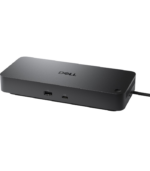
Dell Pro Dock WD25Z USB-C Docking Station
Power, Displays & Connectivity Through USB-C
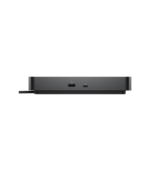
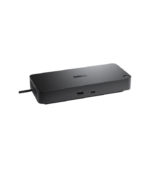
The Dell Pro Dock WD25Z is a professional USB-C docking solution designed to transform a compatible notebook into a powerful desktop workstation through a single host connection. It combines high-resolution multi-display support, 2.5 Gigabit Ethernet, multiple 10Gbps USB ports and comprehensive enterprise management capabilities. Power delivery reaches up to 130W with supported Dell systems and up to 96W with compatible non-Dell systems, helping users connect peripherals, displays, networking and power through one streamlined workspace.
Up to 130W Power Delivery
The WD25Z can provide up to 130W of power to compatible Dell systems, helping supported business laptops operate and charge through the same USB-C connection used for data, networking and displays. Compatible non-Dell systems can receive up to 96W, making the dock a flexible option for mixed-device working environments.
Advanced Multi-Display Productivity
Build an expansive professional workspace with support for up to four external displays, depending on the connected system and display configuration. The WD25Z supports resolutions ranging from Full HD and QHD through 4K, 5K and up to 6144 × 3456 6K at 60Hz in a supported single-display configuration. This makes it suitable for productivity, financial work, creative applications and demanding multi-monitor environments.
HDMI 2.1, Dual DisplayPort 1.4 & USB-C DisplayPort
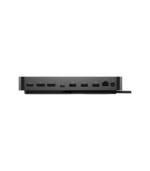
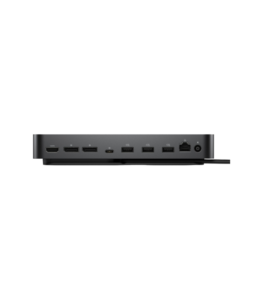
The WD25Z offers extensive display connectivity with two DisplayPort 1.4 outputs, one HDMI 2.1 port and one multifunction USB-C 3.2 Gen 2 connection with DisplayPort 1.4. This flexible selection makes it easier to connect modern monitors without depending on a single display connector standard.
Up to 130W
Power compatible Dell notebooks while connecting displays, network and peripherals.
2.5 Gigabit Ethernet
High-speed wired networking provides a dependable connection for professional workloads.
10Gbps USB
Multiple USB 3.2 Gen 2 ports provide fast connectivity for modern peripherals and storage.
Extensive 10Gbps USB Connectivity
Connect keyboards, mice, storage devices and other peripherals through a comprehensive selection of high-speed ports. The dock provides four USB-A 3.2 Gen 2 ports at up to 10Gbps and a dedicated USB-C 3.2 Gen 2 data port at up to 10Gbps. The USB-C data connection can also provide up to 15W to supported peripheral devices.
2.5 Gigabit Ethernet
The integrated RJ45 Ethernet port supports 2.5 Gigabit Ethernet, delivering high-speed wired network connectivity for offices and professional workstations. Wired networking can provide a stable alternative to Wi-Fi for large transfers, cloud applications, business systems and latency-sensitive workloads.
Designed for Business IT Management
The Dell Pro Dock WD25Z incorporates business management capabilities including MAC Address Pass-through, PXE Boot, Wake-on-LAN, Dock Power Button Sync, WLAN-to-LAN switching and port disablement. Dell also supports host-based firmware management and enterprise peripheral-management tools, making the dock suitable for centrally managed commercial deployments.
Physical Security Support
For office and shared working environments, the WD25Z includes support for both Kensington and Noble Wedge security slots. Compatible security cables can help secure the dock to a desk or workstation, adding another layer of protection to professional installations.
One USB-C Connection. A Complete Professional Workspace.
The Dell Pro Dock WD25Z combines up to 130W Dell power delivery, multi-display support, HDMI 2.1, dual DisplayPort 1.4, 10Gbps USB, 2.5GbE networking and enterprise management in a professional USB-C docking platform designed to simplify modern business workstations.


Description
Dell Pro Dock WD25Z USB-C Docking Station
Power, Displays & Connectivity Through USB-C
The Dell Pro Dock WD25Z is a professional USB-C docking solution designed to transform a compatible notebook into a powerful desktop workstation through a single host connection. It combines high-resolution multi-display support, 2.5 Gigabit Ethernet, multiple 10Gbps USB ports and comprehensive enterprise management capabilities. Power delivery reaches up to 130W with supported Dell systems and up to 96W with compatible non-Dell systems, helping users connect peripherals, displays, networking and power through one streamlined workspace.
Up to 130W Power Delivery
The WD25Z can provide up to 130W of power to compatible Dell systems, helping supported business laptops operate and charge through the same USB-C connection used for data, networking and displays. Compatible non-Dell systems can receive up to 96W, making the dock a flexible option for mixed-device working environments.
Advanced Multi-Display Productivity
Build an expansive professional workspace with support for up to four external displays, depending on the connected system and display configuration. The WD25Z supports resolutions ranging from Full HD and QHD through 4K, 5K and up to 6144 × 3456 6K at 60Hz in a supported single-display configuration. This makes it suitable for productivity, financial work, creative applications and demanding multi-monitor environments.
HDMI 2.1, Dual DisplayPort 1.4 & USB-C DisplayPort
The WD25Z offers extensive display connectivity with two DisplayPort 1.4 outputs, one HDMI 2.1 port and one multifunction USB-C 3.2 Gen 2 connection with DisplayPort 1.4. This flexible selection makes it easier to connect modern monitors without depending on a single display connector standard.
Up to 130W
Power compatible Dell notebooks while connecting displays, network and peripherals.
2.5 Gigabit Ethernet
High-speed wired networking provides a dependable connection for professional workloads.
10Gbps USB
Multiple USB 3.2 Gen 2 ports provide fast connectivity for modern peripherals and storage.
Extensive 10Gbps USB Connectivity
Connect keyboards, mice, storage devices and other peripherals through a comprehensive selection of high-speed ports. The dock provides four USB-A 3.2 Gen 2 ports at up to 10Gbps and a dedicated USB-C 3.2 Gen 2 data port at up to 10Gbps. The USB-C data connection can also provide up to 15W to supported peripheral devices.
2.5 Gigabit Ethernet
The integrated RJ45 Ethernet port supports 2.5 Gigabit Ethernet, delivering high-speed wired network connectivity for offices and professional workstations. Wired networking can provide a stable alternative to Wi-Fi for large transfers, cloud applications, business systems and latency-sensitive workloads.
Designed for Business IT Management
The Dell Pro Dock WD25Z incorporates business management capabilities including MAC Address Pass-through, PXE Boot, Wake-on-LAN, Dock Power Button Sync, WLAN-to-LAN switching and port disablement. Dell also supports host-based firmware management and enterprise peripheral-management tools, making the dock suitable for centrally managed commercial deployments.
Physical Security Support
For office and shared working environments, the WD25Z includes support for both Kensington and Noble Wedge security slots. Compatible security cables can help secure the dock to a desk or workstation, adding another layer of protection to professional installations.
One USB-C Connection. A Complete Professional Workspace.
The Dell Pro Dock WD25Z combines up to 130W Dell power delivery, multi-display support, HDMI 2.1, dual DisplayPort 1.4, 10Gbps USB, 2.5GbE networking and enterprise management in a professional USB-C docking platform designed to simplify modern business workstations.



Reviews
Clear filtersThere are no reviews yet.